live-trivia.mdx
Live Trivia
A Phoenix LiveView trivia room app for live events, with server-authoritative game state, player presence, typing bubbles, and synthetic performance testing.
Project links
Overview
Live Trivia is a real-time trivia room application built for session-style games: a host creates a room, loads a JSON quiz, starts the rounds, and players join from their own devices to guess answers as the room updates live.
The project began as a Phoenix LiveView app and grew into a full live-event surface: public and password-protected rooms, color reservation, player presence, server-side timers, scheduled hints, closest-guess scoring, a final podium, mobile keyboard handling, and an admin-only synthetic benchmark for testing the stress point of the experience.
The problem
Trivia games are deceptively hard to make feel fair. The interface can be playful, but the timing, scoring, room membership, and winner selection need to be consistent for everyone in the room.
The main tension was that the most expressive part of the interface was also the most expensive: everyone typing at once. Showing live typing bubbles around an orbital player stage makes the game feel alive, but those updates are too frequent to treat like normal LiveView state.
Product flow
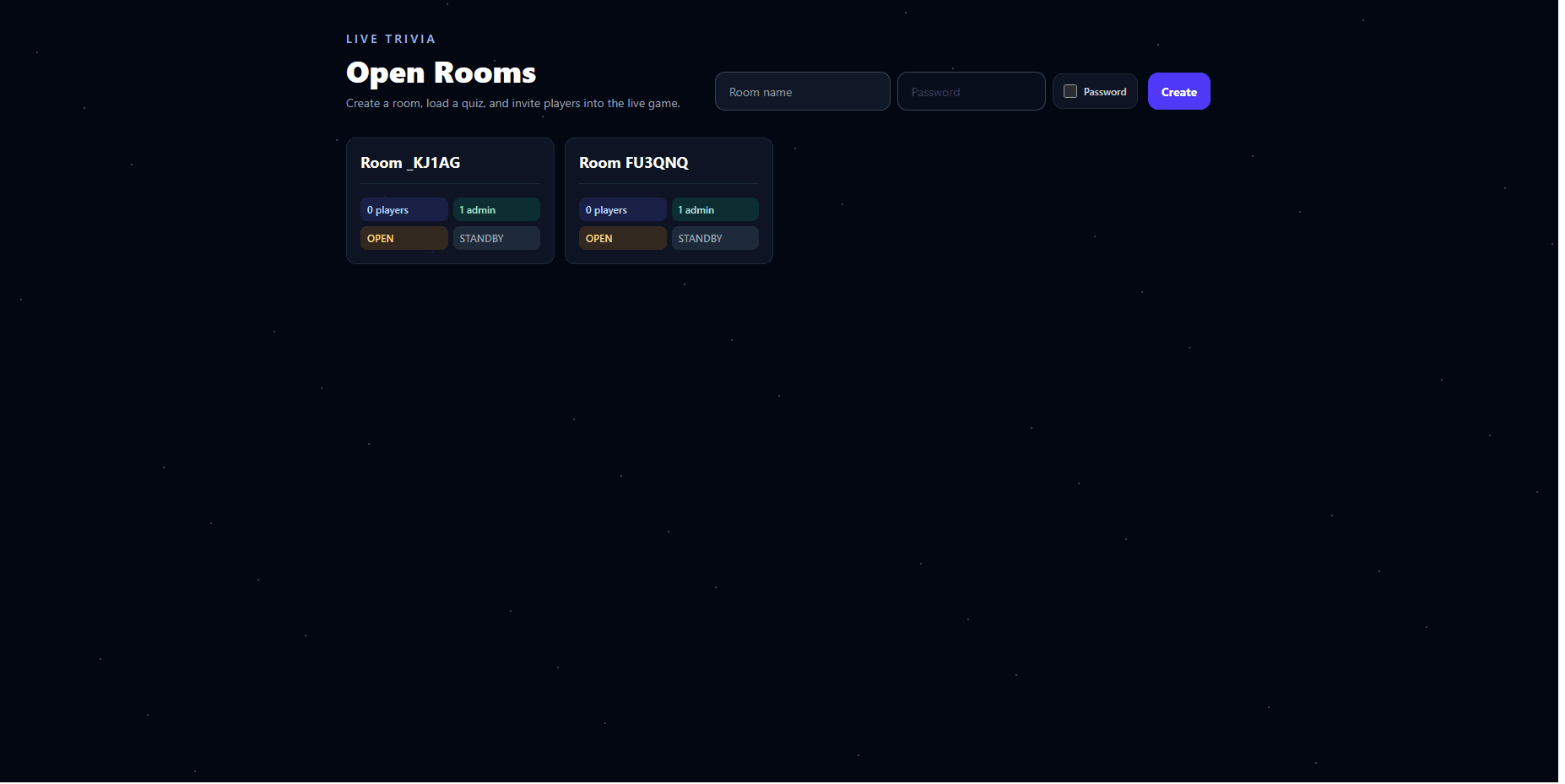
The lobby gives hosts a low-friction way to create a room, optionally protect it with a password, and see which rooms are open. Room cards expose the details that matter in the moment: player count, admin presence, whether the room is open, and which phase the game is in.
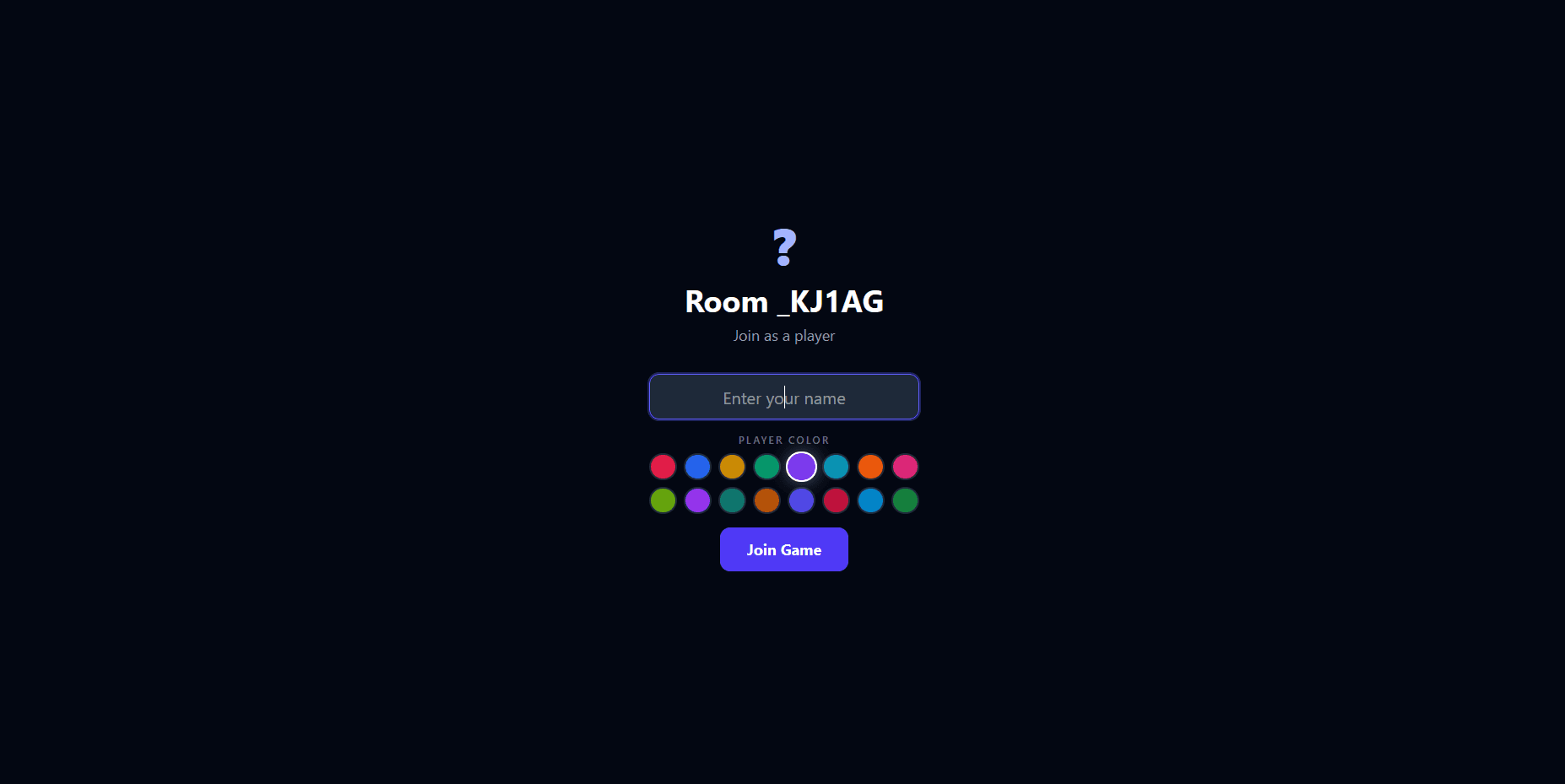
Players join through a focused profile screen with a name field and color picker. The lobby reserves player slots and colors before the player fully enters the room, which prevents the awkward race condition where two players choose the same identity at the same time.
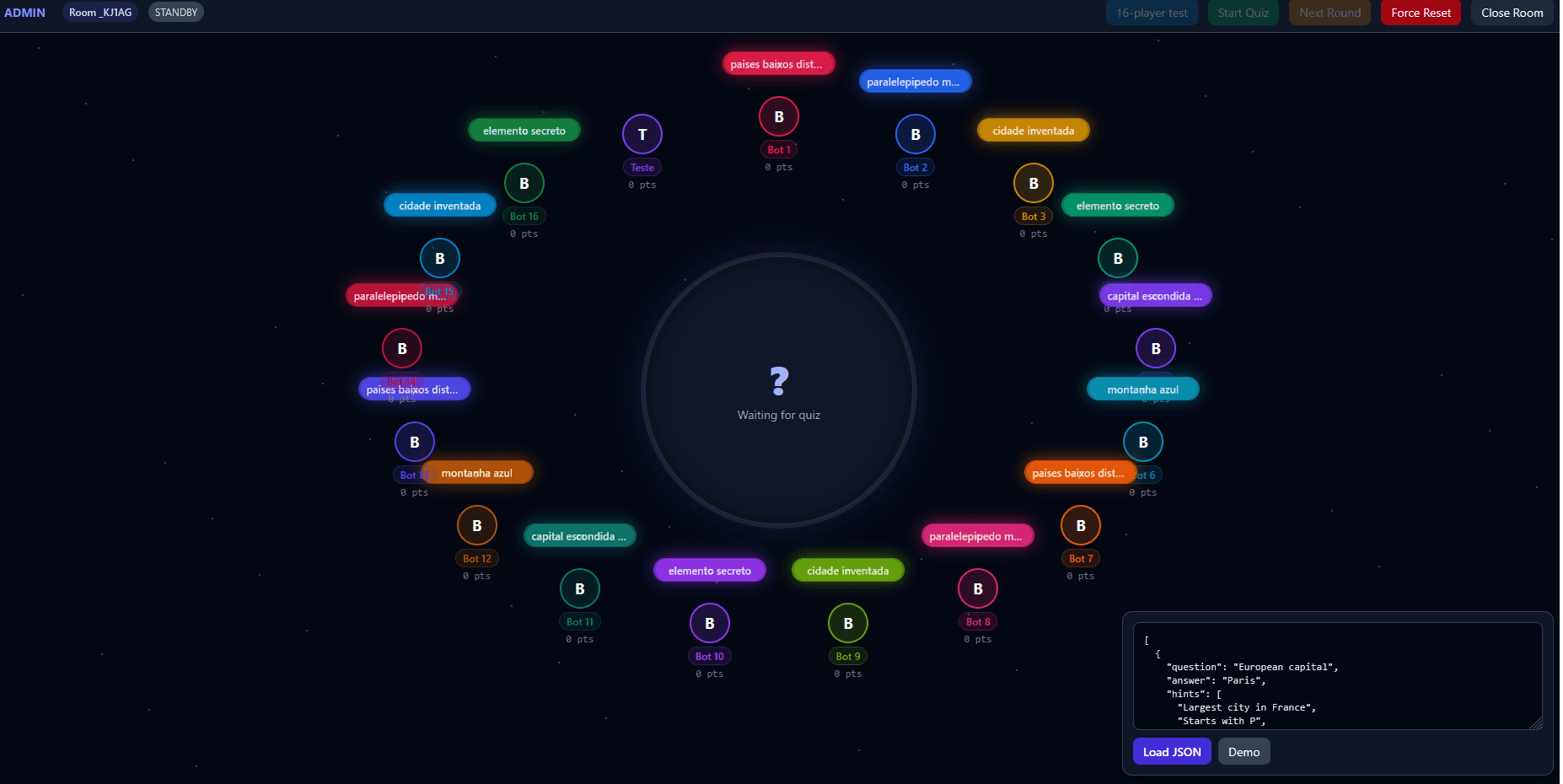
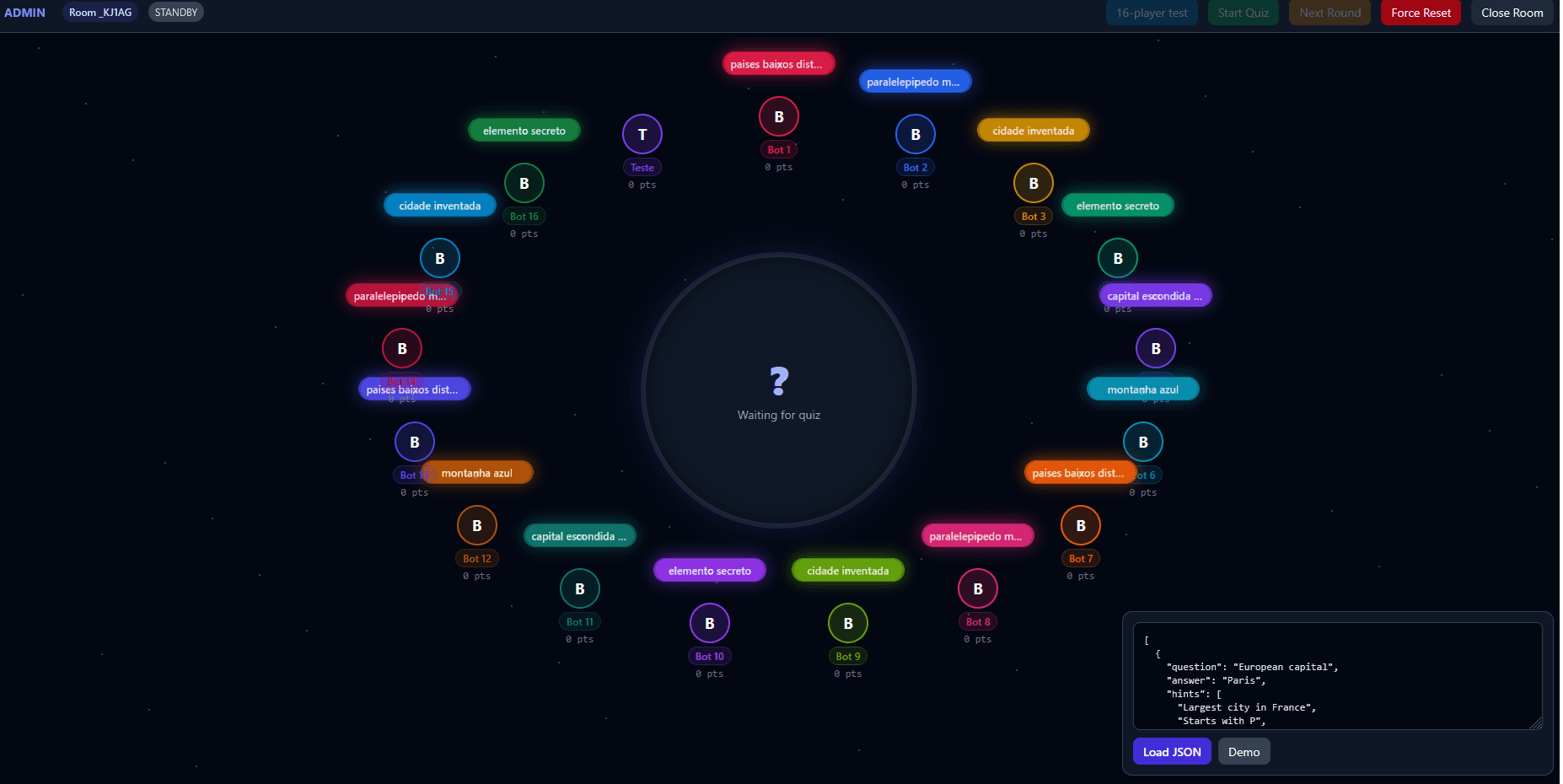
The host screen is the control room. It combines quiz loading, demo data, round controls, room reset and close actions, live player presence, typing bubbles, scores, and a 16-player synthetic test into one stage-like interface.
Architecture
The app uses Phoenix for the HTTP and websocket layer, LiveView for stateful screens, OTP processes for room state, and PubSub/Presence for real-time coordination.
| Area | Decision |
|---|---|
| Framework | Phoenix 1.8 and Phoenix LiveView |
| Game state | One LiveTrivia.Game GenServer per room |
| Room lifecycle | LiveTrivia.Lobby tracks rooms, passwords, player slots, colors, and cleanup |
| Realtime fanout | Phoenix PubSub broadcasts authoritative game updates |
| Presence | Phoenix Presence tracks admins, players, and color occupancy |
| High-frequency input | Phoenix Channels broadcast typing bubbles outside the LiveView diff loop |
| Persistence | Bounded in-memory rooms for live sessions, no database |
| Deployment | Docker release image published to GHCR and redeployed by GitHub Actions |
Game engine
LiveTrivia.Game is the authoritative engine for a room. It owns the current phase, loaded questions, active round, timers, revealed hints, scores, closest guess, and podium state.
Each round is driven by server timers. Hints are scheduled at fixed offsets, the round has a server-side timeout, and stale timer messages are ignored by carrying a round identifier through the lifecycle. That detail matters because a host can reset or reload a quiz while older scheduled messages are still waiting in the mailbox.
Scoring rewards fast correct answers while still making near misses meaningful. A Levenshtein distance check categorizes guesses as correct, close, near, or far; if nobody answers exactly before the timeout, the closest guess can receive consolation points.
Realtime UX
The first implementation path leaned on LiveView for the whole experience. That worked for authoritative state changes, but typing bubbles revealed a different class of traffic: tiny, frequent, visual updates that do not need to alter the canonical game state.
The later channel-based architecture splits those responsibilities:
| Stream | Transport | Purpose |
|---|---|---|
| Room and game state | LiveView and PubSub | Phase changes, questions, hints, scores, podium, admin actions |
| Presence | Phoenix Presence | Player/admin occupancy and color state |
| Typing bubbles | Phoenix Channels | High-frequency text previews and submitted bubble animations |
Performance story
The git history shows the project moving through clear pressure points: lobbies and PubSub first, then mobile fixes, then typing overhaul, then benchmarking, payload optimization, binary payloads, and finally deployment hardening.
The performance work became concrete through an admin-triggered synthetic benchmark. The app can create a benchmark room, connect 16 synthetic players, load the demo quiz, start a round, and measure typing update latency from both browser and server perspectives.
Server logs record typing message rate, payload bytes, channel handler timing, BEAM reductions, BEAM memory, process count, run queue, RSS, and CPU samples. Browser-side summaries track average, p50, p95, p99, max, receive, and DOM timings for the typing bubble path.
That feedback loop shaped two major changes: moving input throttling client-side and shrinking typing payloads. Player and room identifiers became compact slot-based values, and the newest channel path supports binary payloads for typing updates.
After moving the deployment to an Oracle VPS, the 16-player synthetic test stopped being CPU-bound. The same simulated room now sits around 0.7% CPU usage, turning the benchmark from a warning signal into a regression guard for future UI and transport changes.
Mobile design
The mobile work was not an afterthought. Several history entries are dedicated to phone behavior, especially viewport and keyboard fixes.
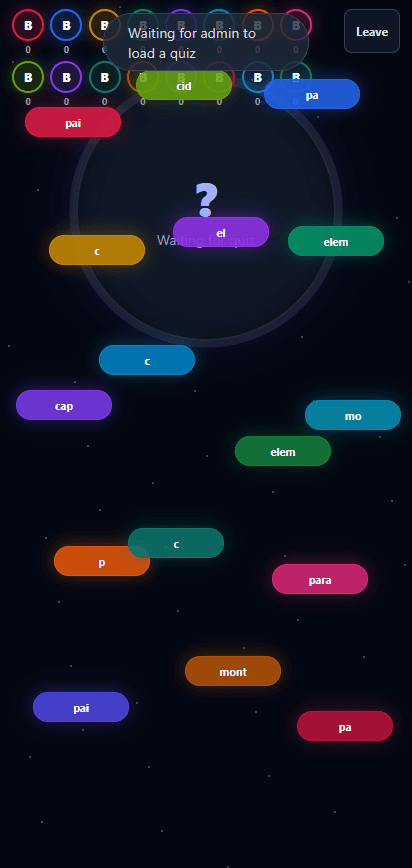
On small screens, the orbital desktop layout becomes a compact roster, and typing bubbles are distributed through mobile-specific slots. JavaScript hooks watch the visual viewport, update CSS variables, and keep the player input usable when the phone keyboard opens.
The result is a player screen that still feels connected to the shared stage without forcing the desktop layout into a narrow viewport.
Deployment
The deployment layer follows the same practical philosophy as the runtime architecture: keep the public app self-contained, keep operational secrets elsewhere, and redeploy only the service that changed.
The Dockerfile builds a production Phoenix release and runs it on port 3070. The current GitHub Actions workflow builds a Linux ARM64 image on an ARM runner, pushes it to GitHub Container Registry, then SSHes into the Oracle VPS deployment host to pull and recreate only the live-trivia service with Docker Compose.
docker compose -f compose.yml -f projects/live-trivia.compose.yml pull live-trivia
docker compose -f compose.yml -f projects/live-trivia.compose.yml up -d --no-deps live-trivia
--no-deps keeps sibling services stable during a Live Trivia deploy, which matters when the app is one project inside a broader portfolio/server setup.
Current state
Live Trivia currently supports room creation, optional passwords, color selection, host controls, JSON quiz loading, demo quiz loading, timed rounds, scheduled hints, guess scoring, closest-guess fallback, a podium screen, player/admin presence, channel-driven typing bubbles, mobile viewport handling, benchmark telemetry, Docker releases, and targeted production redeploys.
Lessons learned
LiveView is excellent at making shared state feel simple, but not every websocket message should become LiveView state. The strongest version of this app came from separating authority from ambience: the server decides the game, while channels carry the lightweight motion that makes the room feel alive.
The project also made performance visible instead of theoretical. Once the synthetic room existed, optimization work had a target: fewer bytes, less unnecessary rendering, clearer latency numbers, and a repeatable way to confirm that the Oracle VPS deployment removed the CPU bottleneck.
The final shape is intentionally modest in storage and scope, but ambitious where the user feels it: a host can run a room, players can join from phones, and the whole game has the immediacy of people typing and reacting together in the same place.
Screenshots